
Step by step
Fill it in, download the PDF

How to create an invoice
- 1
Add who it’s from and who it’s for
Your business details once (they stay in this browser for next time), then your client’s.
- 2
List the work
A line per product or service with quantity and price. Tax and discount are worked out for you.
- 3
Paste your pay link
A Stripe Payment Link, PayPal.me, Square or Cash App link becomes a gold Pay online button on the PDF.
- 4
Download and send
One click makes the PDF in your browser. The invoice number counts up for the next one.
When you’re ready for more
Get paid without chasing
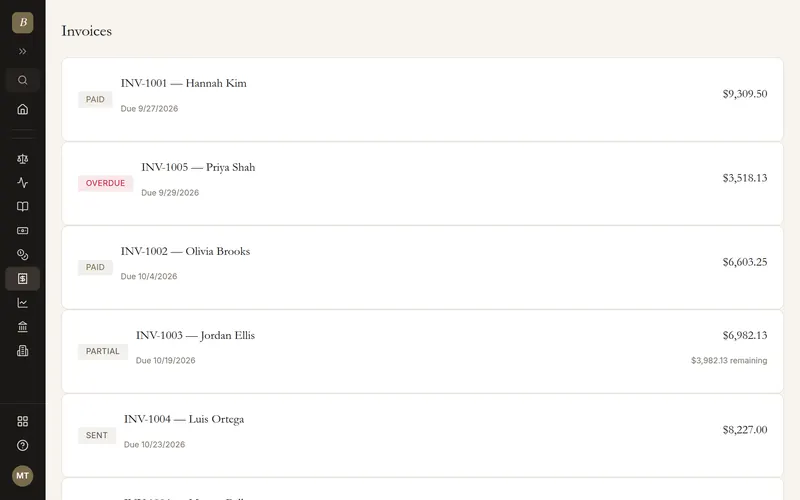
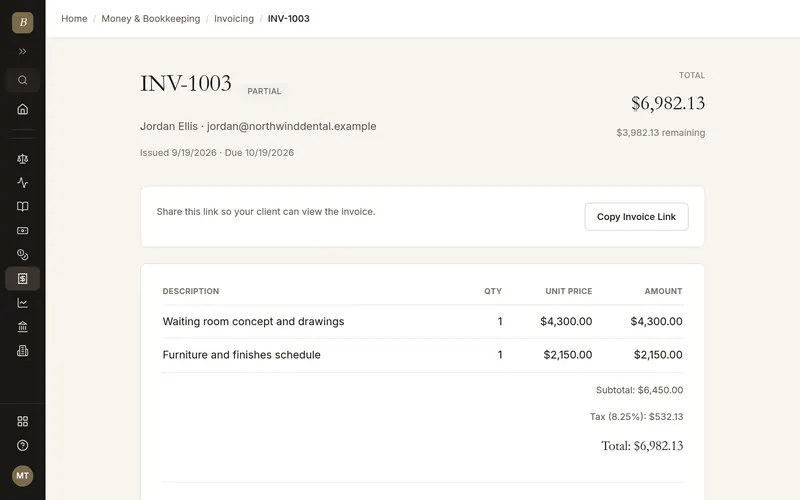
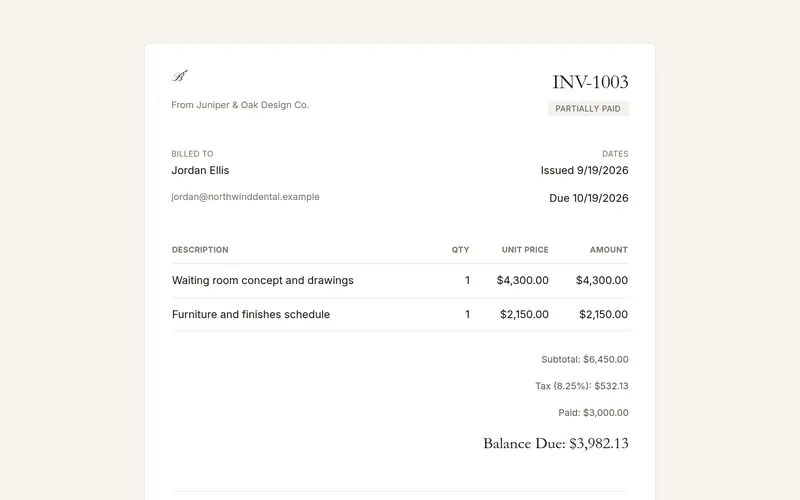
BlissPoint Invoicing gives every invoice its own Pay button for card and bank payments, records partial payments, sends reminders, and lets clients accept estimates online. Aiva, the built-in assistant, follows up on late invoices for you.
Templates for your trade
- Contractor invoice
- Plumbing invoice
- Electrician invoice
- Cleaning invoice
- Landscaping invoice
- Photography invoice
- Consulting invoice
- Freelance invoice
Quoting first? Free estimate templates for plumbers, electricians, cleaners, landscapers and more.
Questions
How do I create an invoice for free?
Fill in the form on this page: your details, your client’s, the line items, and optionally a pay link. Click Download PDF. There is no account, no watermark on your details and no limit on how many you make.
How do clients pay a free invoice online?
Paste a payment link you already have (a Stripe Payment Link, PayPal.me, Square or Cash App link) into Pay link. The PDF gets a clickable Pay online button that opens it. With BlissPoint Invoicing every invoice gets its own Pay button for card and bank payments, and payments are recorded for you.
Is anything I type uploaded?
No. The PDF is drawn in your browser and your details are saved only in this browser, so the form is filled in next time.
What should an invoice include?
Your business name and contact details, the client’s details, an invoice number, the invoice date, a due date, each item with quantity and price, tax, the total due, and how to pay.
Can I use my own logo and currency?
Yes. Add a PNG or JPG logo and pick one of 14 currencies, including USD, EUR, GBP, CAD, INR, NGN and KES.
What do I get if I upgrade?
BlissPoint Invoicing (free for 14 days, plans from $10 a month) adds a Pay button on every invoice, automatic reminders, partial payments, recurring invoices, estimates clients accept online, and Aiva following up on late invoices.
Can I create invoices for more than one client?
Yes. Make as many as you need. Your business details stay filled in, so for each new client you only change Bill to and the lines.
How do I create an invoice in Word or Excel?
You can, but you have to do the math and the layout yourself. The maker on this page adds up the lines, tax and discount for you and gives you a PDF your client can open on any phone.
How do I number my invoices?
Give every invoice its own number, in order, such as INV-0001. The maker counts up for you, so the next invoice gets the next number.